See everything your Rivian saw.
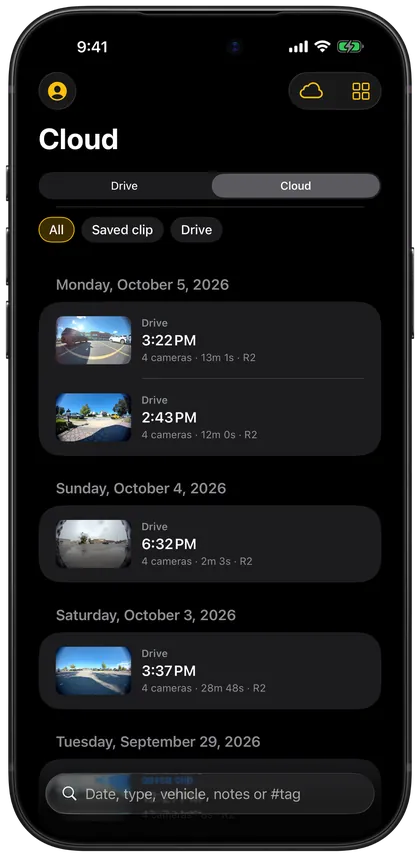
Overlook plays Gear Guard, Incident Cam and RoadCam footage on iPhone and iPad, with every camera in sync. Open the car’s USB drive, your cloud backup or an Overlook Cache.
Coming soon to the App Store
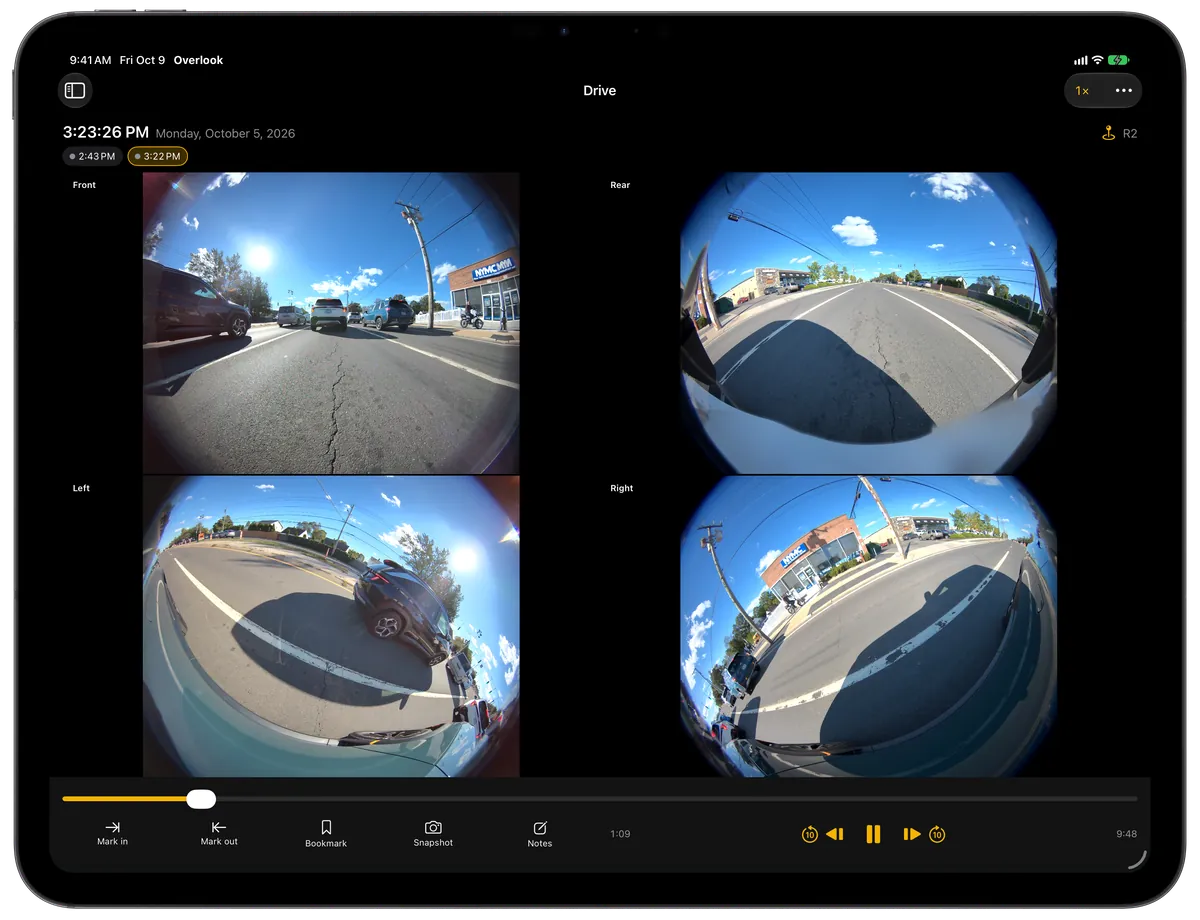
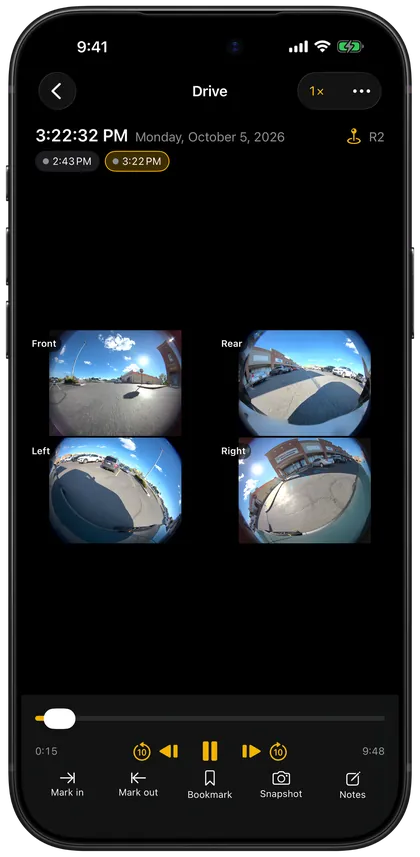
Your cameras, all at once.
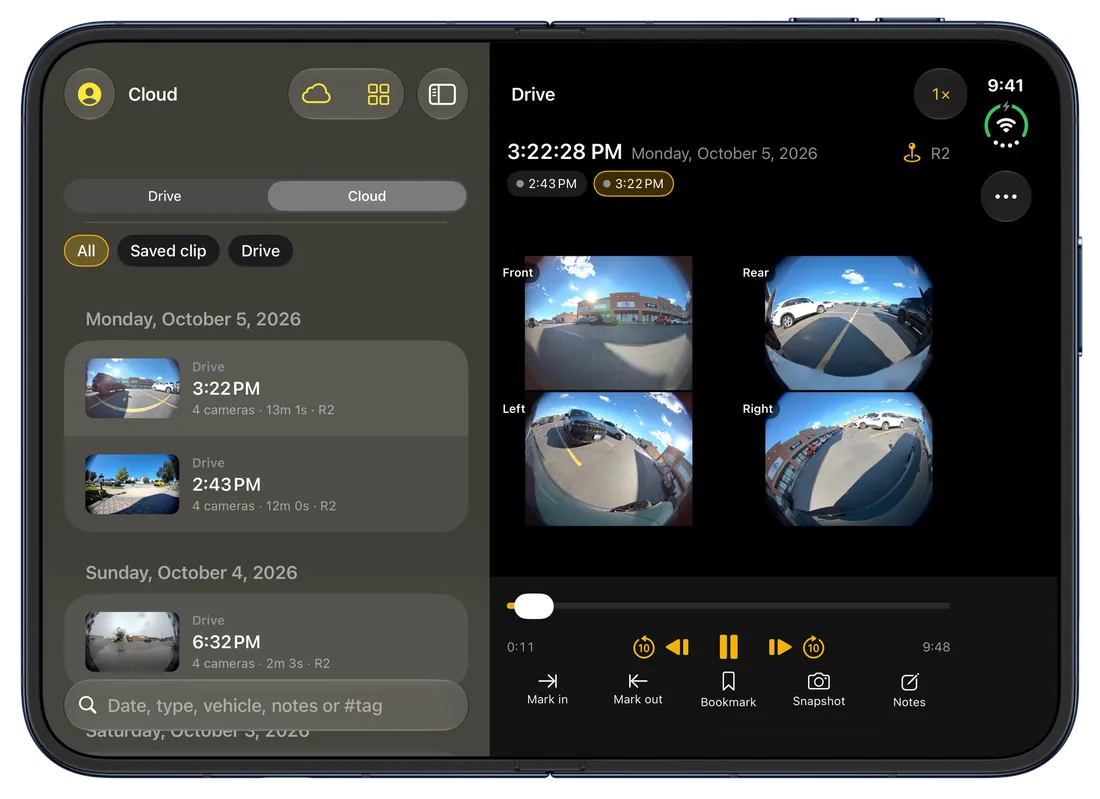
The Rivian records every camera to its own file. Overlook puts them back together, so you see what happened from every side at the same moment.
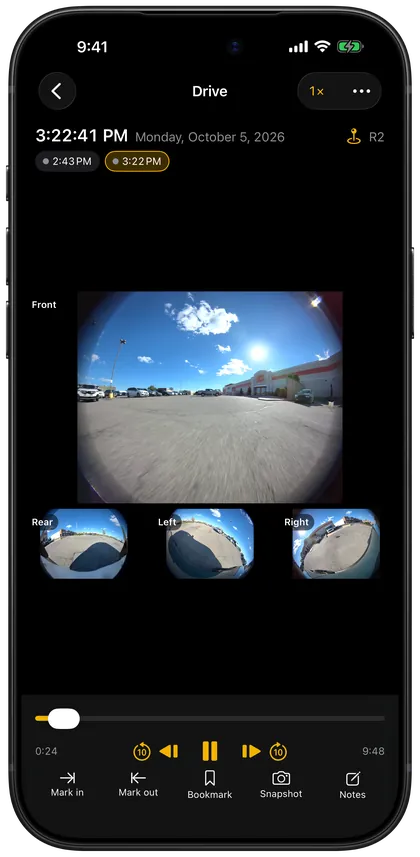
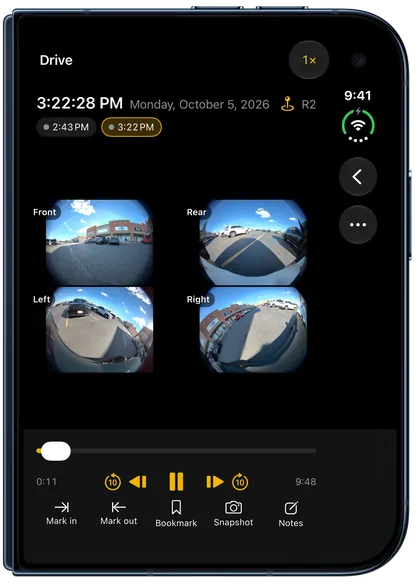
Every camera in sync
Front, rear, left and right play together, and long drives play as one recording. Tap a camera to make it big.
Frame by frame, up close
Scrub the timeline, step one frame at a time and pinch to zoom in on a face, a sign or a bumper.
Clips and stills to Photos
Save a snapshot of any moment. Mark in and out to export a clip of all cameras with the date and time on it.Pro
Evidence for a claim
Package the original files with a summary and checksums for your insurer or the police.Pro
Cloud backup
Back recordings up before the car overwrites them, watch them anywhere and share a private link.Plus
Notifications with a picture
When a Gear Guard event is backed up, your phone shows what the cameras saw, right in the notification.Plus
Made for every screen.
A grid of cameras on iPad, one hand on iPhone, and the library next to the player when there’s room for both.
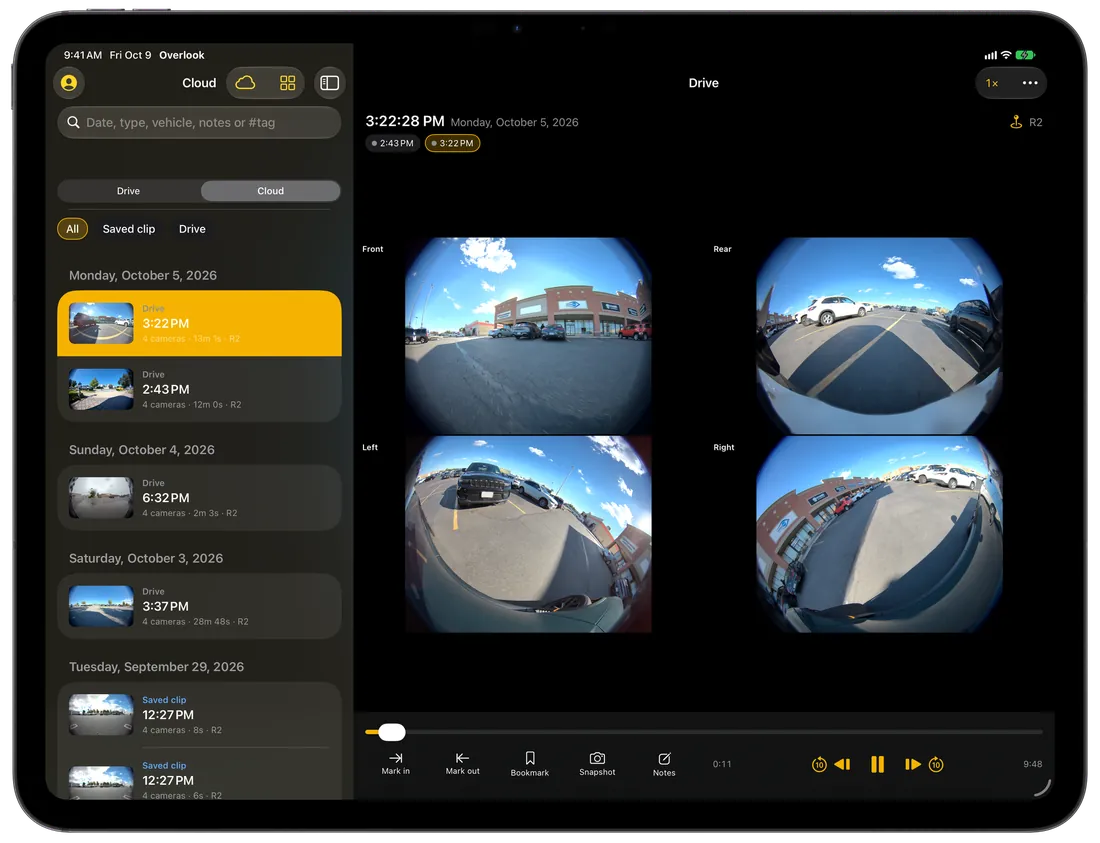
Overlook Cache
A Raspberry Pi that takes the place of your Rivian’s USB drive. It backs Gear Guard, incidents and saved clips up on its own whenever it’s on your Wi-Fi, and the app plays footage straight from it when you’re away.
Free to watch. Pay for more.
Pro and Plus belong to your Overlook account and work in the app on iPhone and iPad and on the web: sign in with the same email.
Free
$0
- Every camera in sync
- Snapshots, bookmarks, notes and tags
- Map, day timeline and storage forecast
- Shows ads; watch one for 24 hours of Pro
Pro
$29 one time
- No ads
- Video export with a timestamp bar
- Evidence packages
- Activity detection and fisheye correction
Plus
$6 / month
or $60 a year · 500 GB: $12 a month or $120 a year
- Everything in Pro
- 100 GB of private cloud backup (or 500 GB)
- Share links, collections and family sharing
- Notifications when recordings are backed up
Questions
Do I need a Rivian?
Overlook is made for the camera footage Rivian vehicles record (R1T, R1S and R2). Without a Rivian there’s nothing for it to play, except a recording someone shared with you as a link.
Which footage does it play?
Gear Guard, Incident Cam, RoadCam and saved clips from the car’s USB drive. Plug the drive into your iPhone or iPad (or open a copy in Files), or play recordings backed up to your Overlook cloud or an Overlook Cache. See what’s on your Rivian’s USB drive.
Is my footage uploaded anywhere?
No. Footage from the drive plays on your device and stays there. Nothing is uploaded unless you back it up to the cloud with Plus, and then only to private storage that you, and people you send a link to, can see. Read the privacy policy.
Is Overlook made by Rivian?
No. Overlook is an independent app by CTT Apps LLC. It isn’t affiliated with, endorsed by or sponsored by Rivian.
Is there a version for my computer?
Yes: Overlook on the web runs in your browser on a Mac or PC (Chrome and Edge work best), with the same account.
See everything your Rivian saw.
Free on iPhone and iPad.
Coming soon to the App Store